
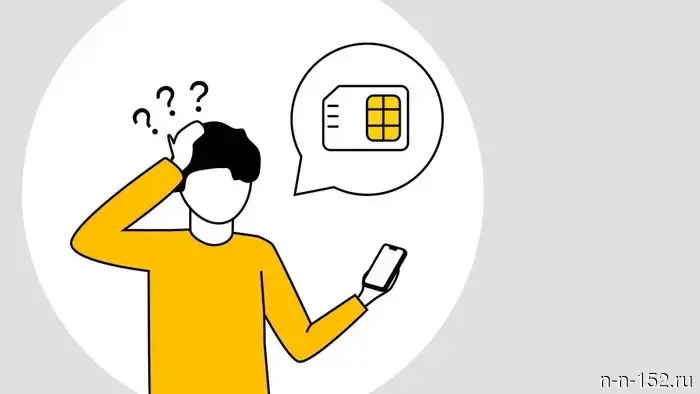
The IMEI does not match the one specified in the contract: how a foreigner can stay connected.
April 22, 2026 10:32 Society In Russia, new rules for providing communication services and issuing SIM cards for non-residents have been in effect since the beginning of 2025. One of them is related to IMEI (International Mobile Equipment Identity) — this is a unique number of the device in which the SIM card is used. It is needed by mobile networks to identify the device and connect it to the network. Thus, if the IMEI of the device using the SIM card does not match what is specified in the service contract, the operator is obliged to block such a number until the subscriber provides the current IMEI.
Good news for Beeline customers: you can find out your IMEI and update your information even online. Below are answers to the main questions, and you can read the IMEI instructions in other languages here.
When a SIM card may be blocked due to a change in IMEI:
- You moved the SIM card to another phone/tablet/modem;
- The IMEI of another device or another slot was indicated in the contract.
Important: a block can occur even if you think you haven't changed anything — for example, if the phone is the same as when the SIM card was issued, but it is simply in the wrong slot (in phones that support two SIM cards, slots may correspond to different IMEIs).
How to avoid blocking
- Keep the SIM card in the same device and slot where it was installed when issued by the operator.
- If you plan to change the phone or slot — first check and update the IMEI in the contract.
Check IMEI in 1 minute
- Dial *060*3# and press call. Two IMEIs will appear, one specified in the contract, the other — actual.
Important: Dial USSD codes from the SIM card you want to check.
Compare these two IMEIs
- Do they match? Then everything is fine. If you have problems with the connection, then it is not due to the IMEI (check your balance/network settings or contact support at 0611 or in the mobile app chat).
- Do they not match → follow the instructions below.
What to do if the IMEI does not match
Option A. Quickly restore connection: return the SIM card to the device/slot from the contract
- Insert the SIM card back into the device whose IMEI is specified in the contract.
- If the phone has multiple slots — insert the SIM card into the same slot as when issued.
- If you don't remember the slot: try moving the SIM card to another slot and compare the IMEI again.
Option B. Update the IMEI in the contract
This can be done remotely.
- Open and log in to the Beeline app. You can download it here.
- Users with an outdated IMEI in the contract will see a corresponding notification on the main page of the app. Click on this message.
- Next, there will be information about the number blocking, as well as the IMEI specified in the contract and in the device. Click "unlock."
- Choose one of the methods to change the IMEI in the contract — this can be done automatically or manually.
- Confirm the changes by going through identification using State Services and biometrics.
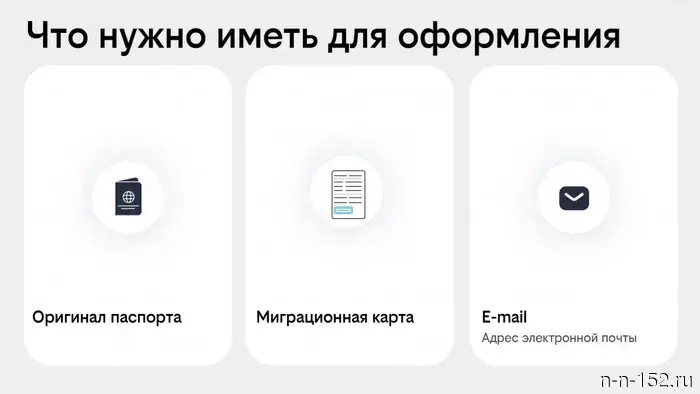
Or at the Beeline office. Employees will help you update the information in the contract. Bring with you: passport, SIM card, and the device in which you will use it.
If the IMEI matches but the connection still does not work: check this
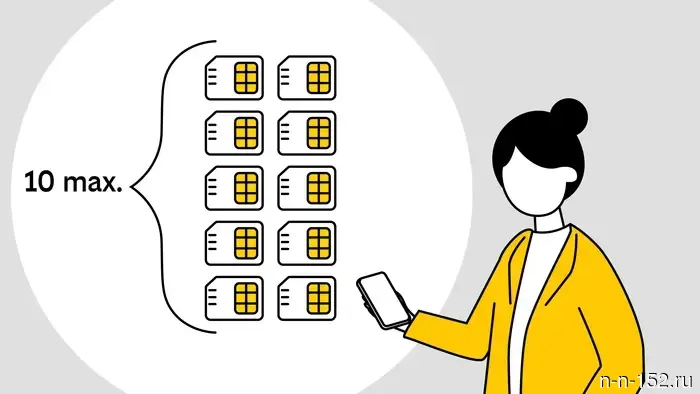
1. Number limit: no more than 10 per person
If you have more than 10 numbers registered in your name, there is a risk of losing access to all numbers registered to you. Check the list of numbers on State Services in the "SIM cards" section and refuse some of them if you have more than 10: re-register the number to the actual user or terminate the contract regarding the numbers exceeding the limit.
2. Identity confirmation and biometrics
According to legal requirements, changing the IMEI in the contract must be confirmed through biometrics. This can be done in the personal account of State Services. More details on how a foreigner can confirm their Russian number were discussed here.
Advertisement of PJSC "VimpelCom". More details on our site: beeline.ru
Moscow, OGRN 1027700166636
NIА "Nizhny Novgorod" has a Telegram channel. Subscribe to stay updated on the main events, exclusive materials, and operational information. Copyright © 1999—2025 NIA "Nizhny Novgorod". When reprinting, a hyperlink to NIA "Nizhny Novgorod" is mandatory. This resource may contain materials 18+
Другие Новости Нижнего (Н-Н-152)
 Festival INTERVALS-2026 in Nizhny Novgorod: map and full program
News of Nizhny Novgorod
Festival INTERVALS-2026 in Nizhny Novgorod: map and full program
News of Nizhny Novgorod
 The fire safety regime in the Nizhny Novgorod forests will be implemented starting April 24.
News of Nizhny Novgorod
The fire safety regime in the Nizhny Novgorod forests will be implemented starting April 24.
News of Nizhny Novgorod
 The allocation of land for data centers will be simplified in the Nizhny Novgorod region.
News of Nizhny Novgorod
The allocation of land for data centers will be simplified in the Nizhny Novgorod region.
News of Nizhny Novgorod
 New flooding has been recorded in the Nizhny Novgorod region.
News of Nizhny Novgorod
New flooding has been recorded in the Nizhny Novgorod region.
News of Nizhny Novgorod
 "Niva" collided with a bus in the Borsky district: there are injured.
News of Nizhny Novgorod
"Niva" collided with a bus in the Borsky district: there are injured.
News of Nizhny Novgorod
 A weight loss program has been launched for Nizhny Novgorod medical workers.
News of Nizhny Novgorod
A weight loss program has been launched for Nizhny Novgorod medical workers.
News of Nizhny Novgorod
The IMEI does not match the one specified in the contract: how a foreigner can stay connected.
News of Nizhny Novgorod